Mac TV Box
A smart TV full of sponsored rows, an app store without the channels the family actually watches, and a MacBook with a broken screen in a drawer. We turned the laptop into the TV box: turn the TV on and it shows your apps and live channels, with no ads, and every phone in the house is the remote.
Built for the person watching, not the person who set it up
The TV is for someone who just wants to watch. Every design decision traces back to one of these three sentences.
- 01
Turn the TV on → his apps and channels, no ads.
No sponsored rows, no store, no Mac desktop. A home screen with the streaming apps the family uses and free live channels, including Arabic news.
- 02
The phone is the remote, and you scan once.
A QR code on the TV connects any phone in the house. It stays connected, and “Add to Home Screen” makes it an app.
- 03
Power cut or restart → back on the home screen, nobody touching it.
It logs itself in, keeps the screen and sound on the TV, and repairs its own window. Nobody needs a keyboard.
A home screen that only shows what you chose
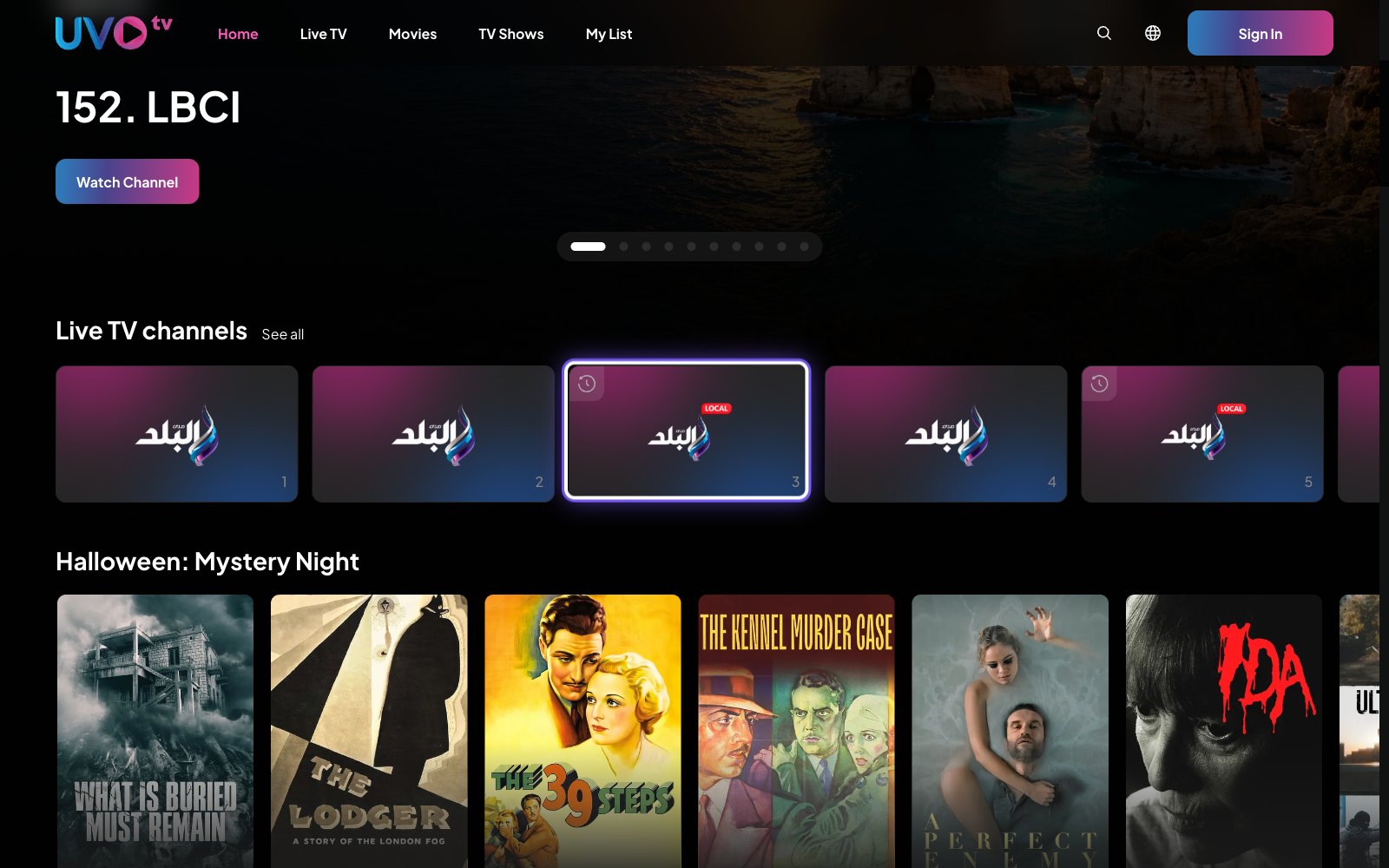
Screens from the open-source release running with its example settings (New York prayer times, a placeholder address).
The home screen
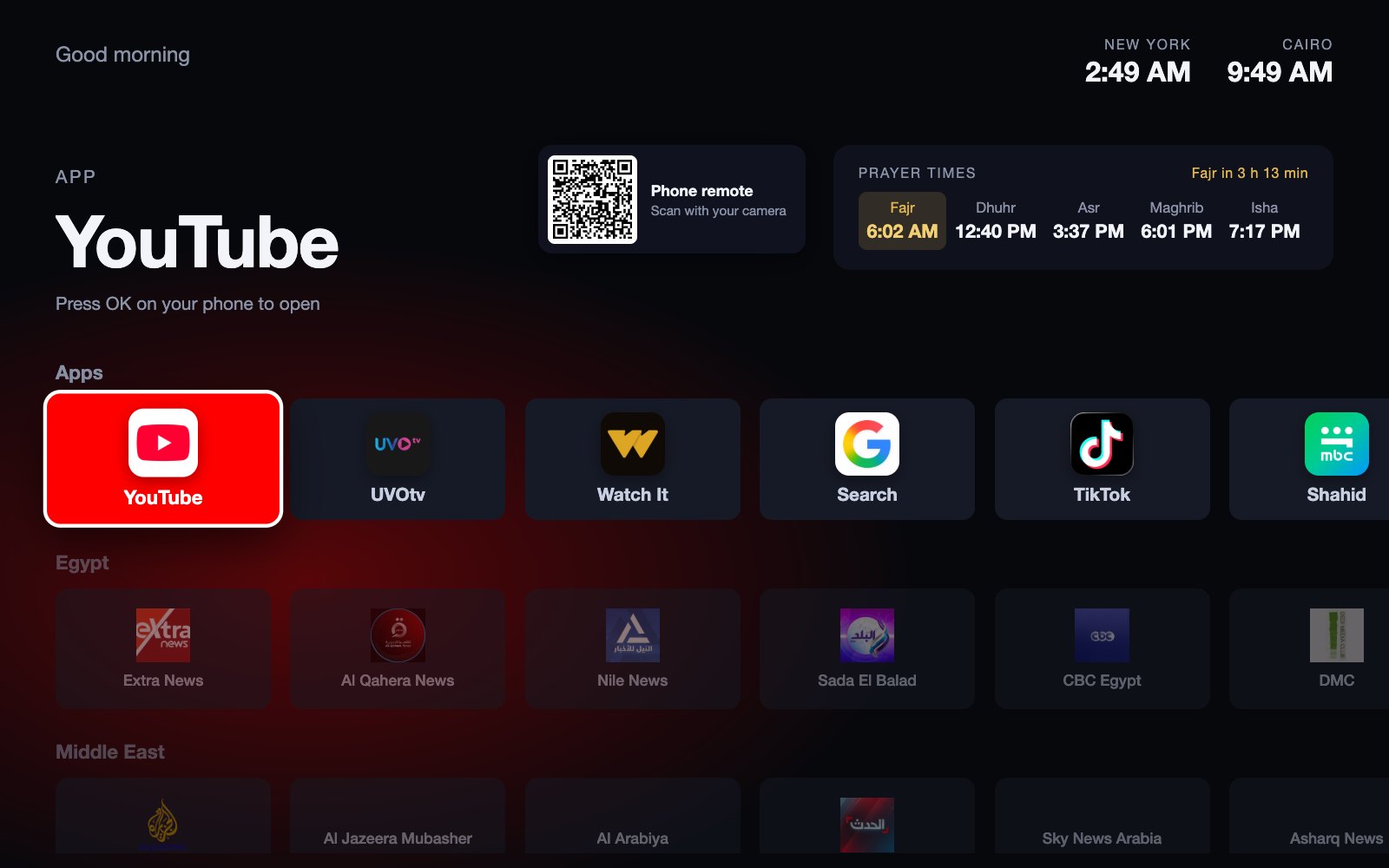
The family’s apps first, then live channels. Clocks for home and Cairo, today’s prayer times, and the colour of whatever you’re on glowing behind it.
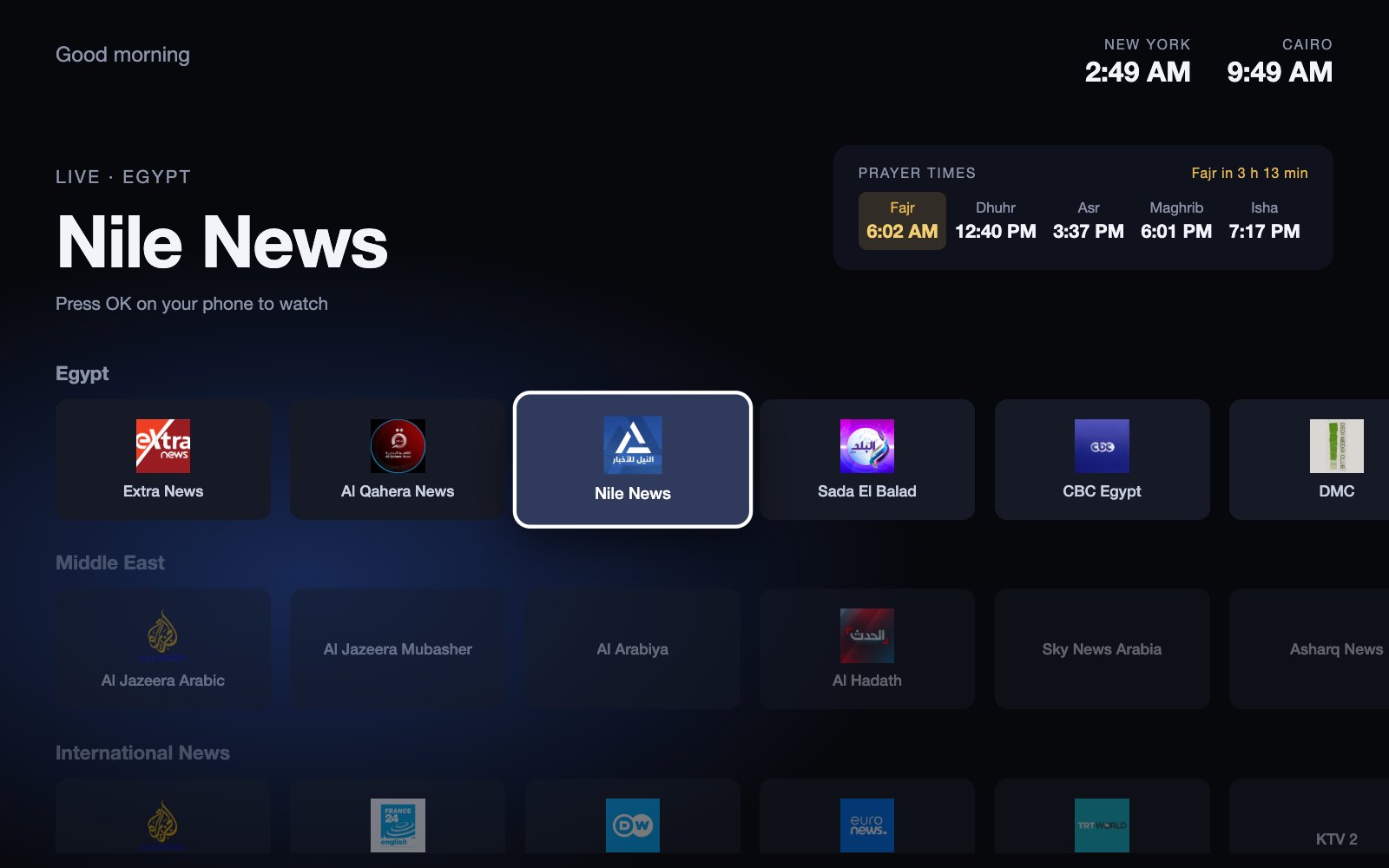
Free live channels, checked every 30 minutes
Only broadcasters’ own free streams and official YouTube lives. Channels that are off air or dead are hidden, so you never land on a black screen.
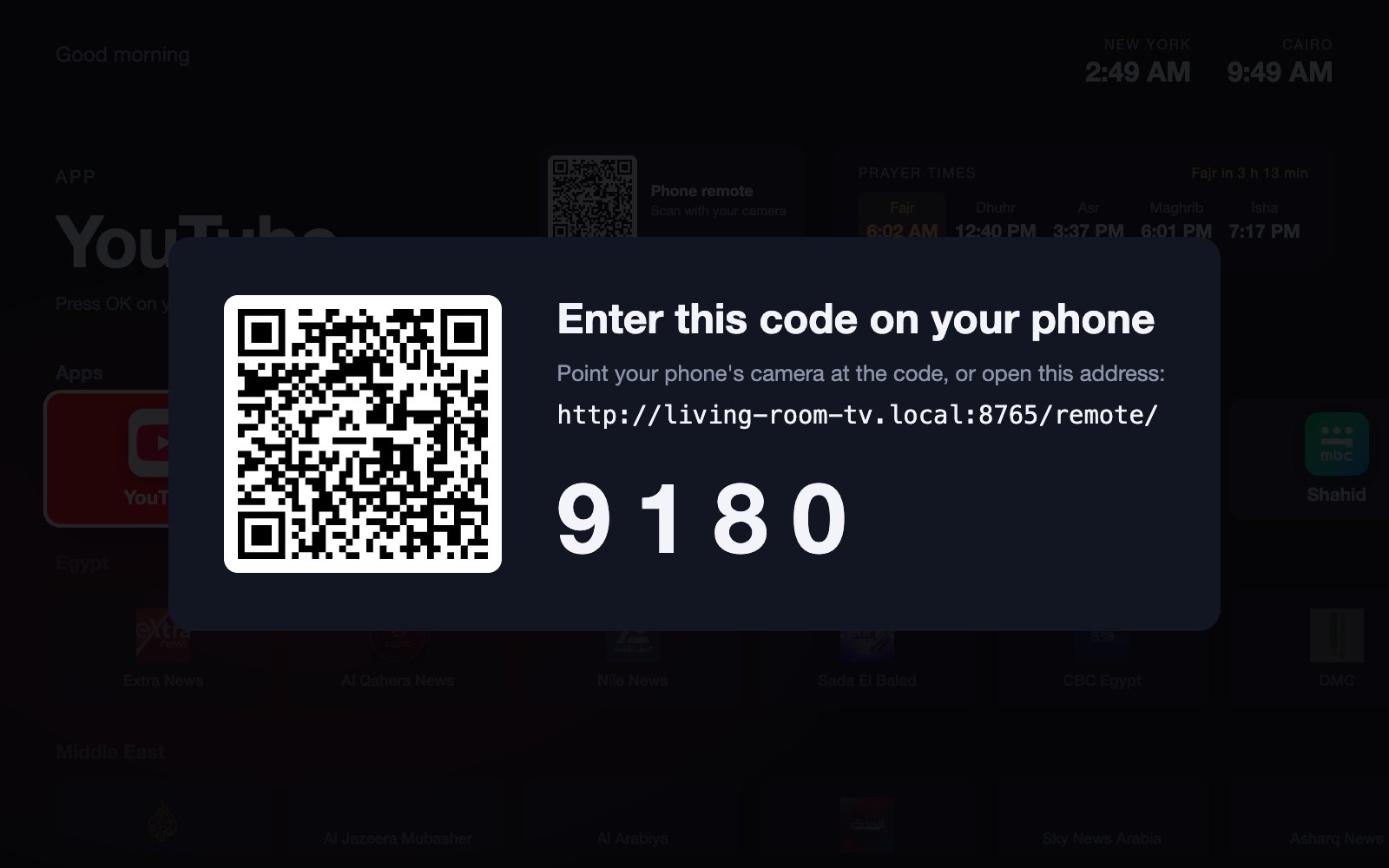
One scan connects a phone
Point a camera at the code and the phone is the remote. The first time, a four-digit code on the TV is the fallback.
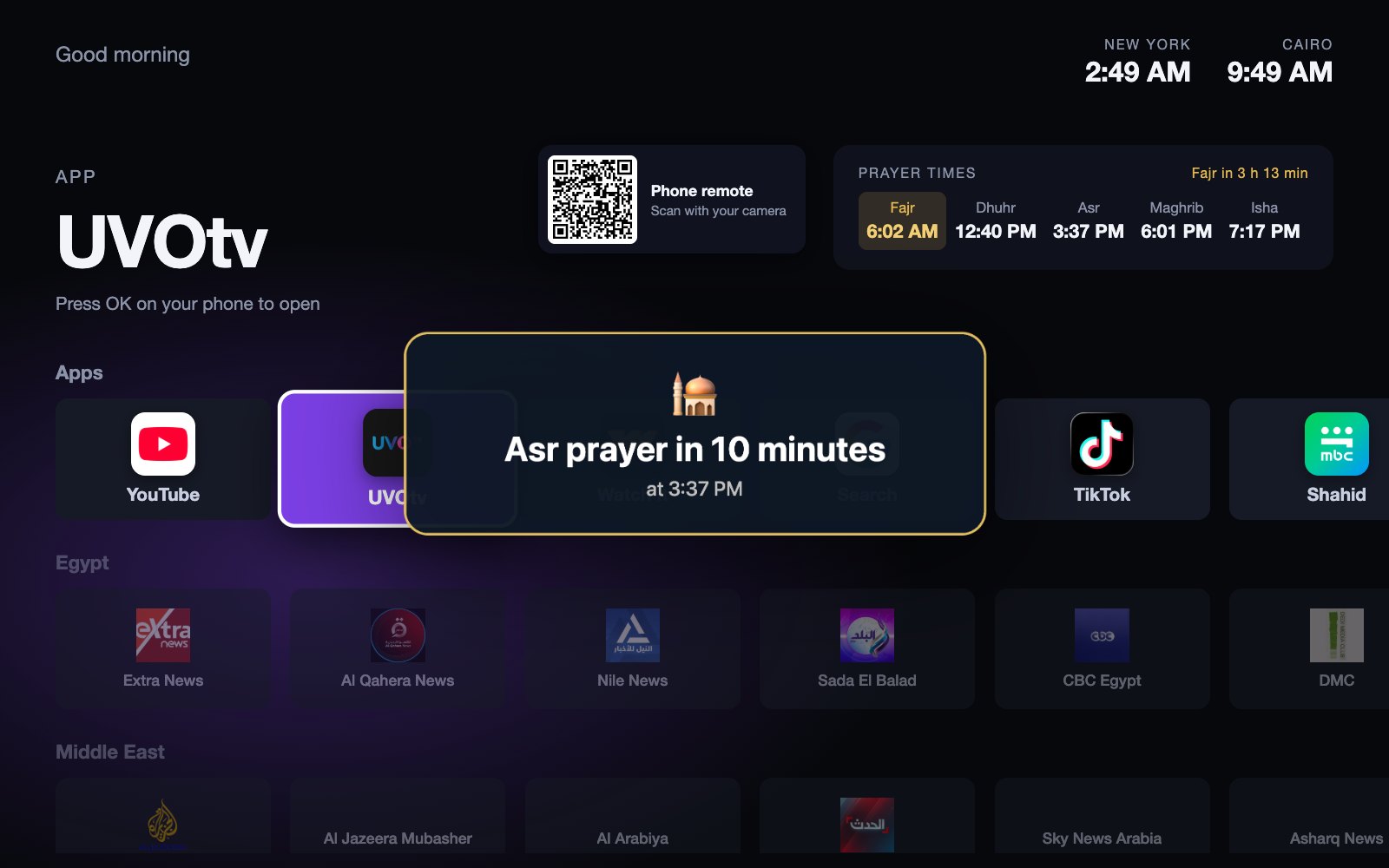
Prayer reminders on top of anything
Ten minutes before each prayer, a card appears over whatever is playing, full-screen video included, then goes away by itself.
Websites work with the arrows
Streaming sites are built for a mouse, so arrow keys just scrolled. A small script gives every site TV navigation: a highlight ring moves between cards and buttons, and OK opens them.
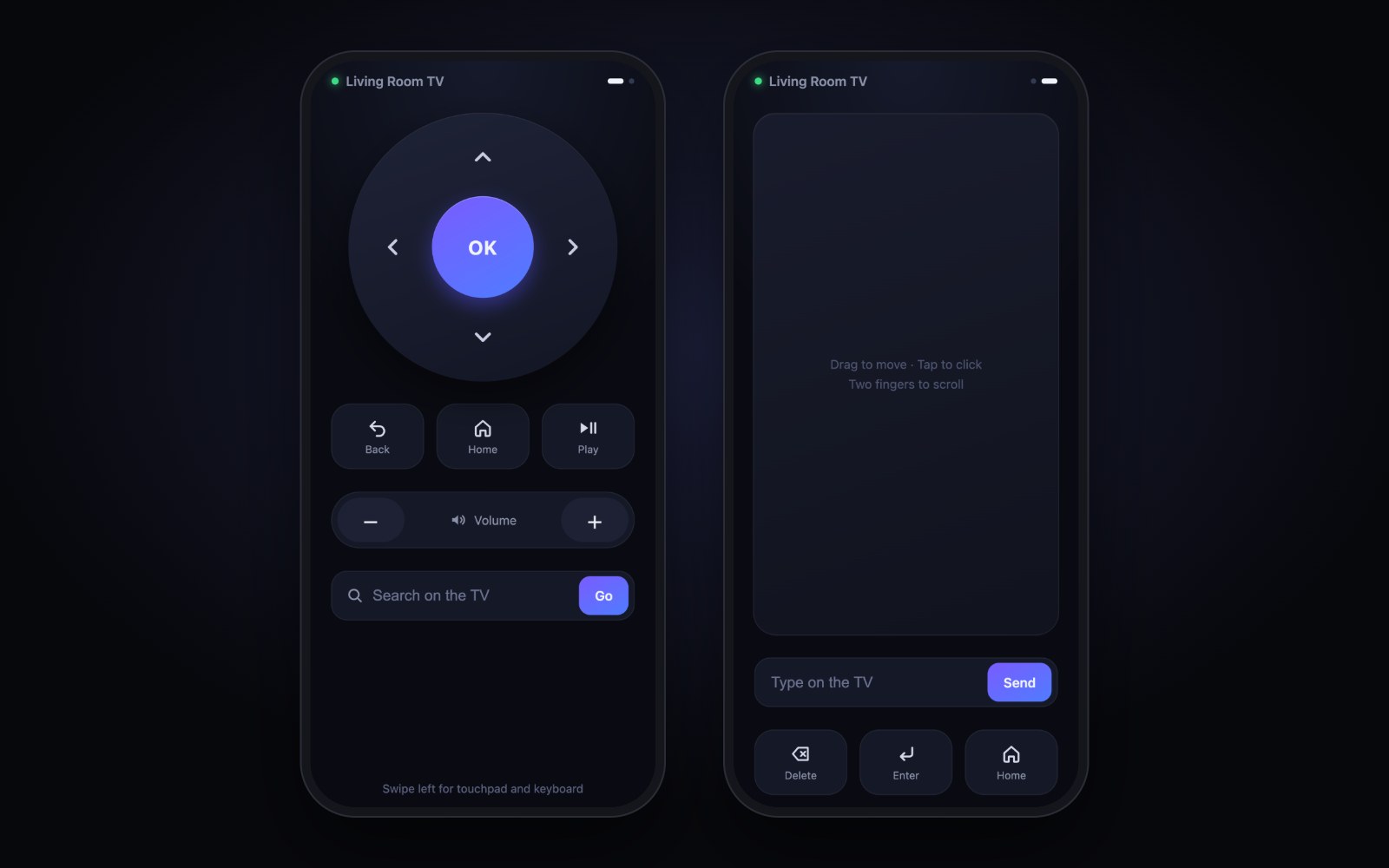
The remote
Arrows, OK, Back, Home, play, the TV’s own volume, and search. Swipe for a touchpad and a keyboard when a website needs one.
Ad-free doesn’t mean taking what isn’t free
- No pirated channelsEvery live channel is a broadcaster’s own free stream or official YouTube live. The rest of a public channel list is filtered out.
- No stripping licensed streamsServices that pay broadcasters with ads, like UVOtv, open as normal websites. We block ad servers, not the deals that fund the channels.
- No private details in the releaseThe public code ships with example settings. A release script scans everything and refuses to publish if it finds anything personal.
The Challenge
The TV was a Roku TV. Its home screen is full of sponsored rows, nothing can be removed from it, and its channel store doesn’t carry the Egyptian and Arabic services the family watches. The usual fix for this, debloating an Android TV, doesn’t apply to Roku at all.
What the house did have was a MacBook with a broken screen. It had been mirroring to the TV over AirPlay, steered by screen reader because nobody could see the laptop’s display. Every restart meant doing that again.
The Solution
The Mac runs a small server with no dependencies that serves two pages: the TV home screen, shown in a full-screen Chrome window, and the phone remote. Chrome is driven through its DevTools protocol, so key presses, app switching and the “go home” button need no special macOS permissions. Three tiny Swift helpers do what a web page can’t: keep the sound on the HDMI output, show the prayer reminder above full-screen video, and move the pointer for the touchpad.
It behaves like an appliance because it was tested like one: by restarting it with the lid closed and watching what the TV actually showed. That found the bugs no unit test would have. The display slept and stopped the video. The HDMI picture didn’t come up after a reboot until the Mac saw “activity”. Chrome launched before the TV was ready and stayed in a small window. And streaming apps signed the family out because the browser’s identity changed between visits. Each one became a fix with a test that failed first.
Ads are blocked in two layers: a system-wide list for ordinary ad servers, and, for YouTube, a script that removes the ad slots from YouTube’s own data before the player reads it. The TV runs under its own passwordless account, so the family member’s personal apps and notifications never appear on the screen.
What shipped
The TV it was built for, set up and running. Then a public repository with the same software, example settings, setup scripts for a fresh Mac, and the tests behind every fix. App logos aren’t included: a script downloads them from the App Store on your own machine.
Free, open source, built for a real living room
Have something at home or at work that should just work? We build software around the people who use it.