Agent Awake
Close the lid, and the Mac stays awake only while Claude is working. The moment it finishes, the Mac sleeps like any laptop. Press sleep yourself and it sleeps. That is the whole product, and getting there took a week of the battery teaching us what the usual tools get wrong.
 Keeping it awake
 Normal sleep
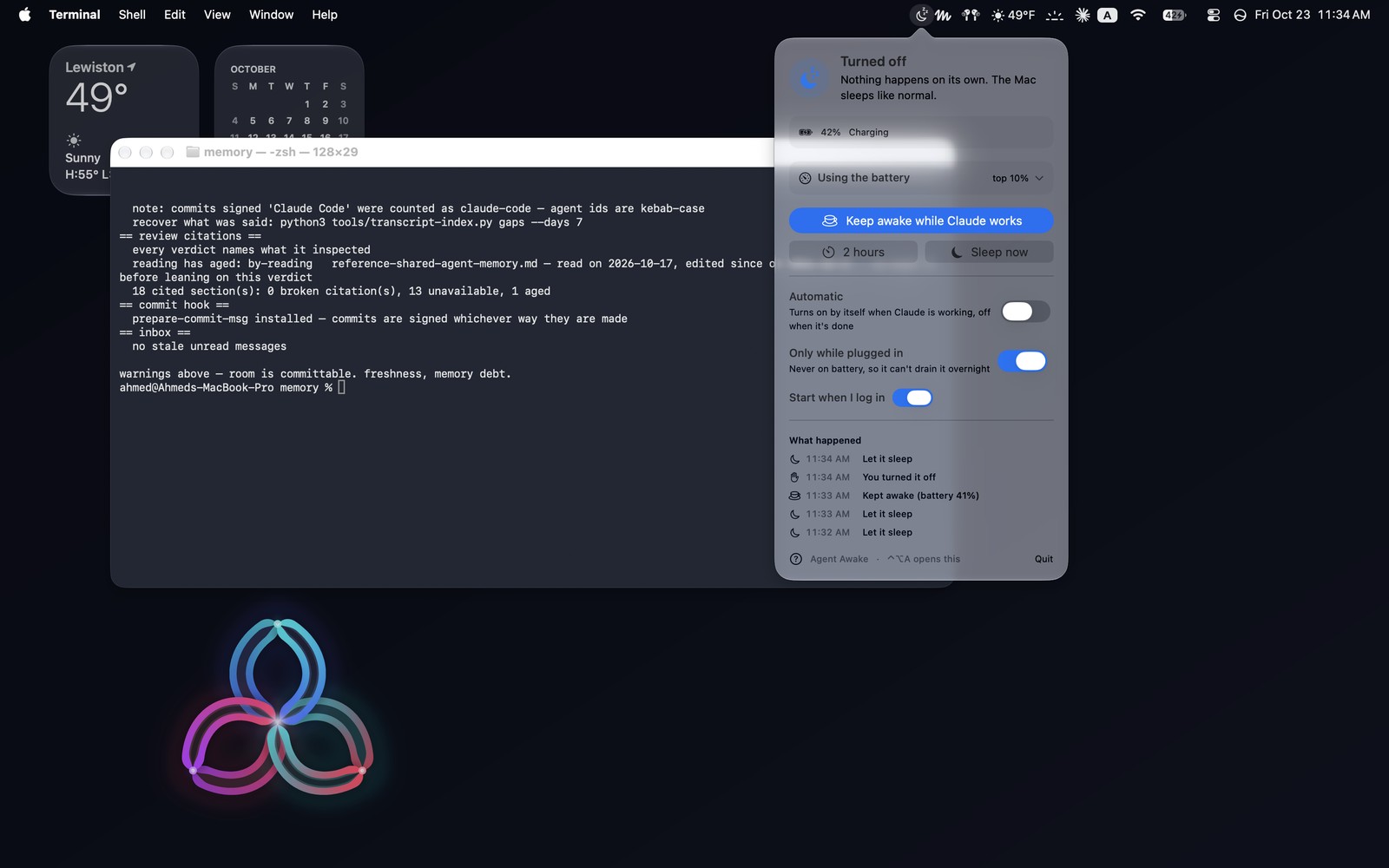
 Turned off
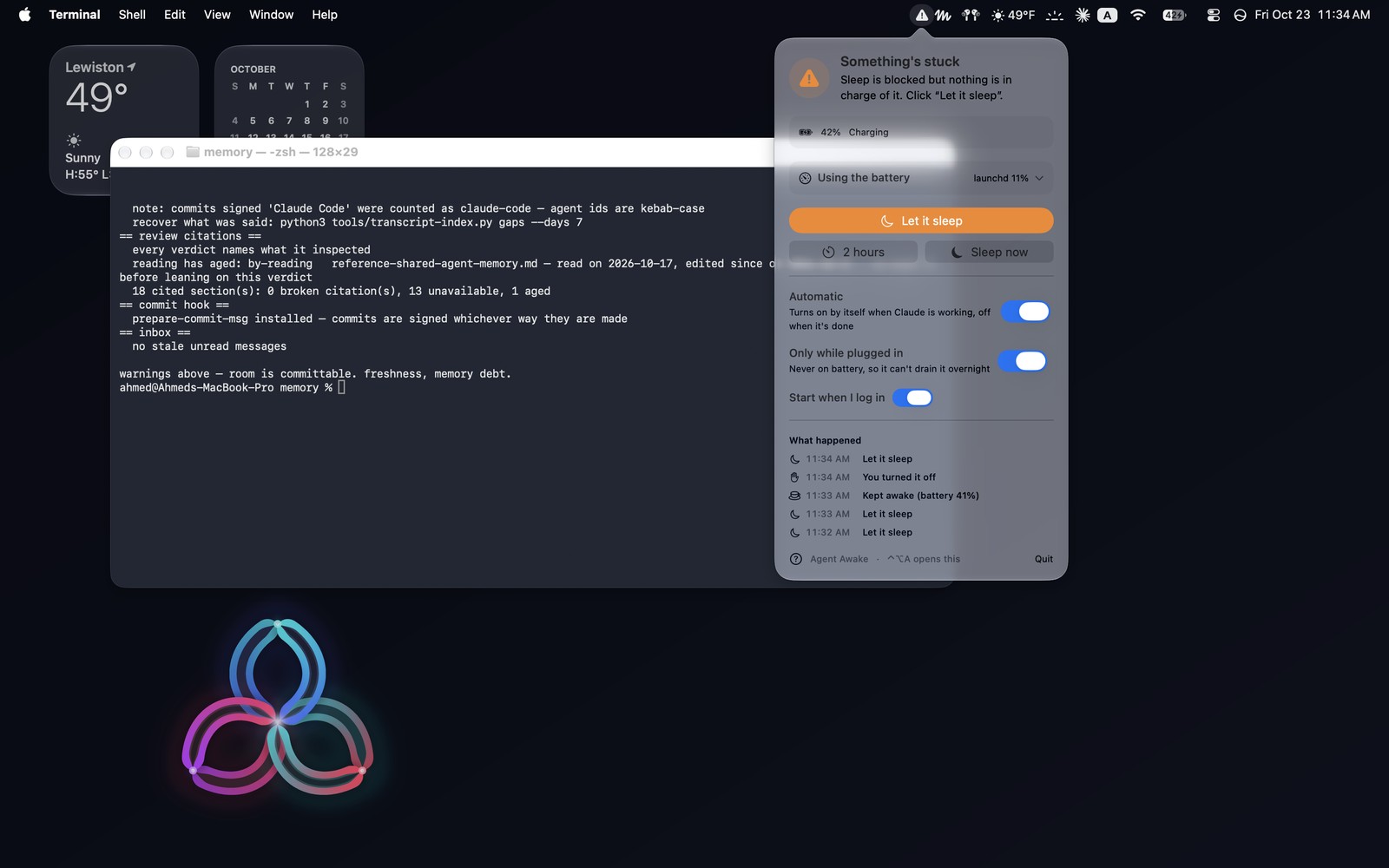
 Something’s stuck
We wrote the rules down after the first bad night
Every tool in this category can keep a Mac awake. Almost none of them know when to stop. These three sentences are the product; everything in the app exists to make one of them true.
- 01
Lid closed while Claude is working → stays awake.
A hook marks each session the moment a turn starts. While any marker exists, the lid does nothing.
- 02
Claude finishes → sleeps normally, in about twenty seconds.
Claude Code’s end-of-turn event removes the marker. When the last one is gone, the hold lets go in about twenty seconds.
- 03
You press sleep → it sleeps.
The macOS primitive blocks the native Sleep item while a hold is on, so the app gives you Sleep now and a shortcut, and says so instead of pretending.
One icon, one button, and every decision explained in plain words
Real screenshots of the app on the MacBook it was built on. Nothing staged beyond the sessions in the chips.
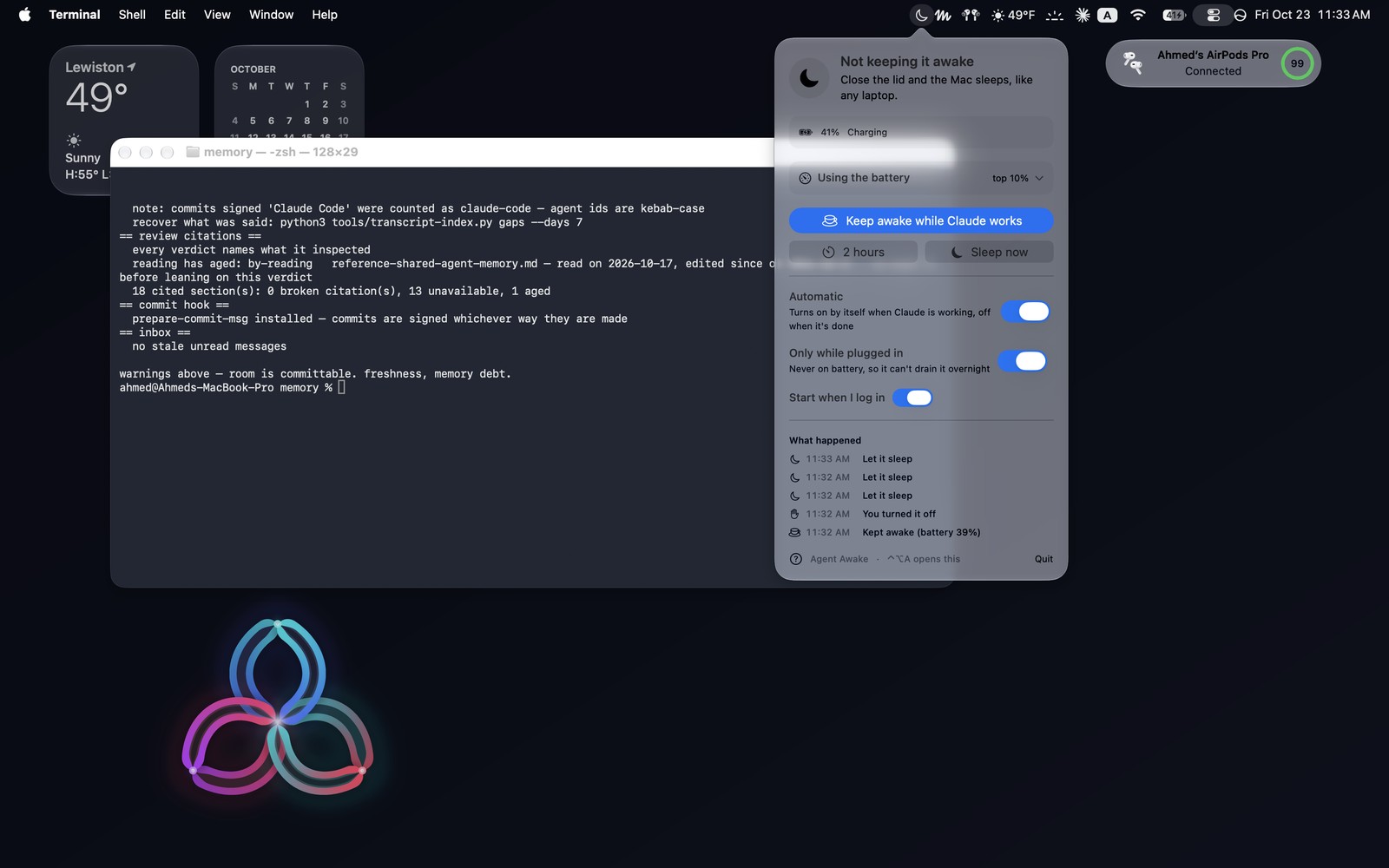
Not keeping it awake
Nothing is held. Close the lid and the Mac sleeps, like any laptop. The icon is a plain moon.
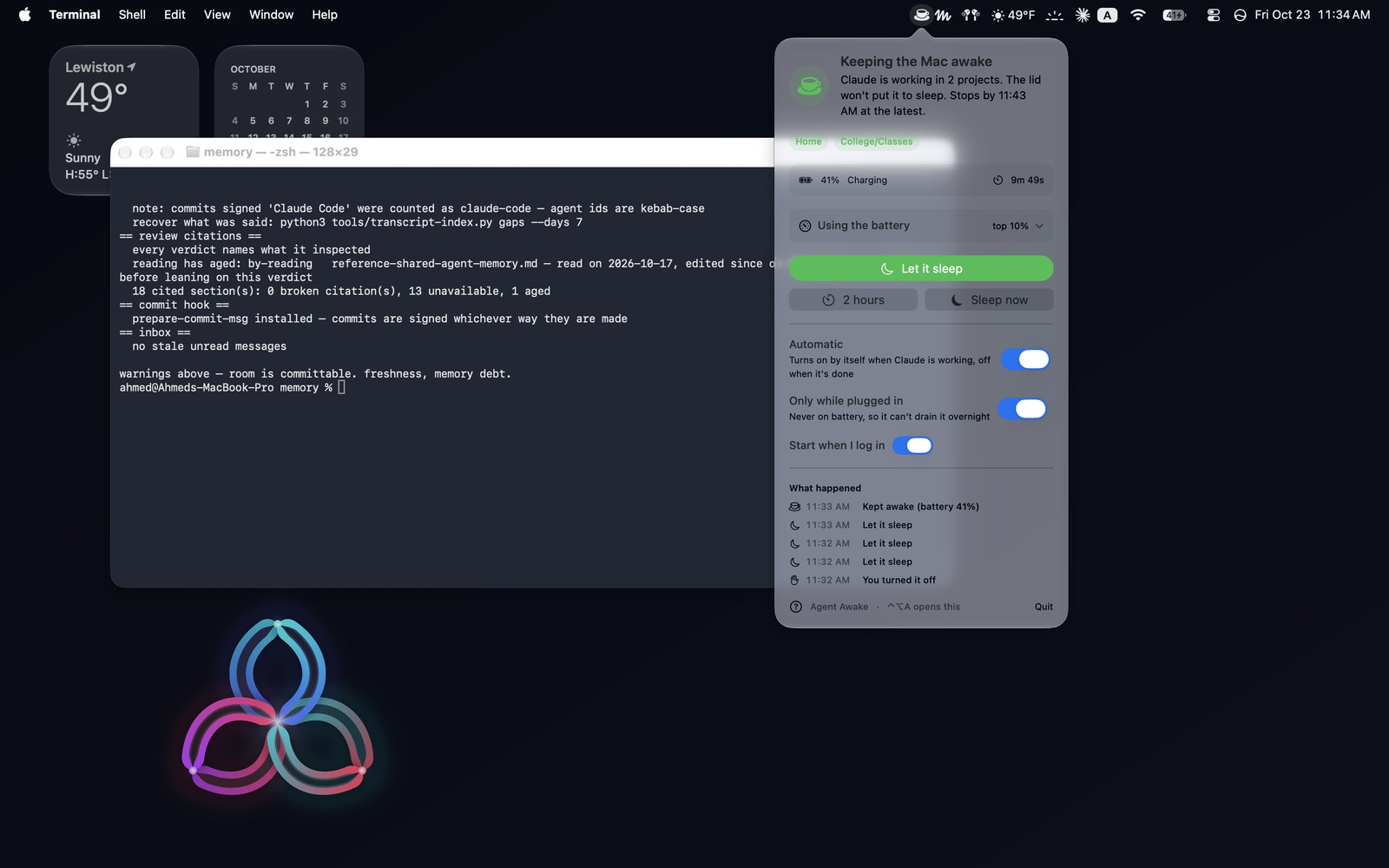
Keeping the Mac awake
Claude is working in two projects, so the lid won’t put it to sleep. The chips name the projects; the countdown shows the latest it could run.
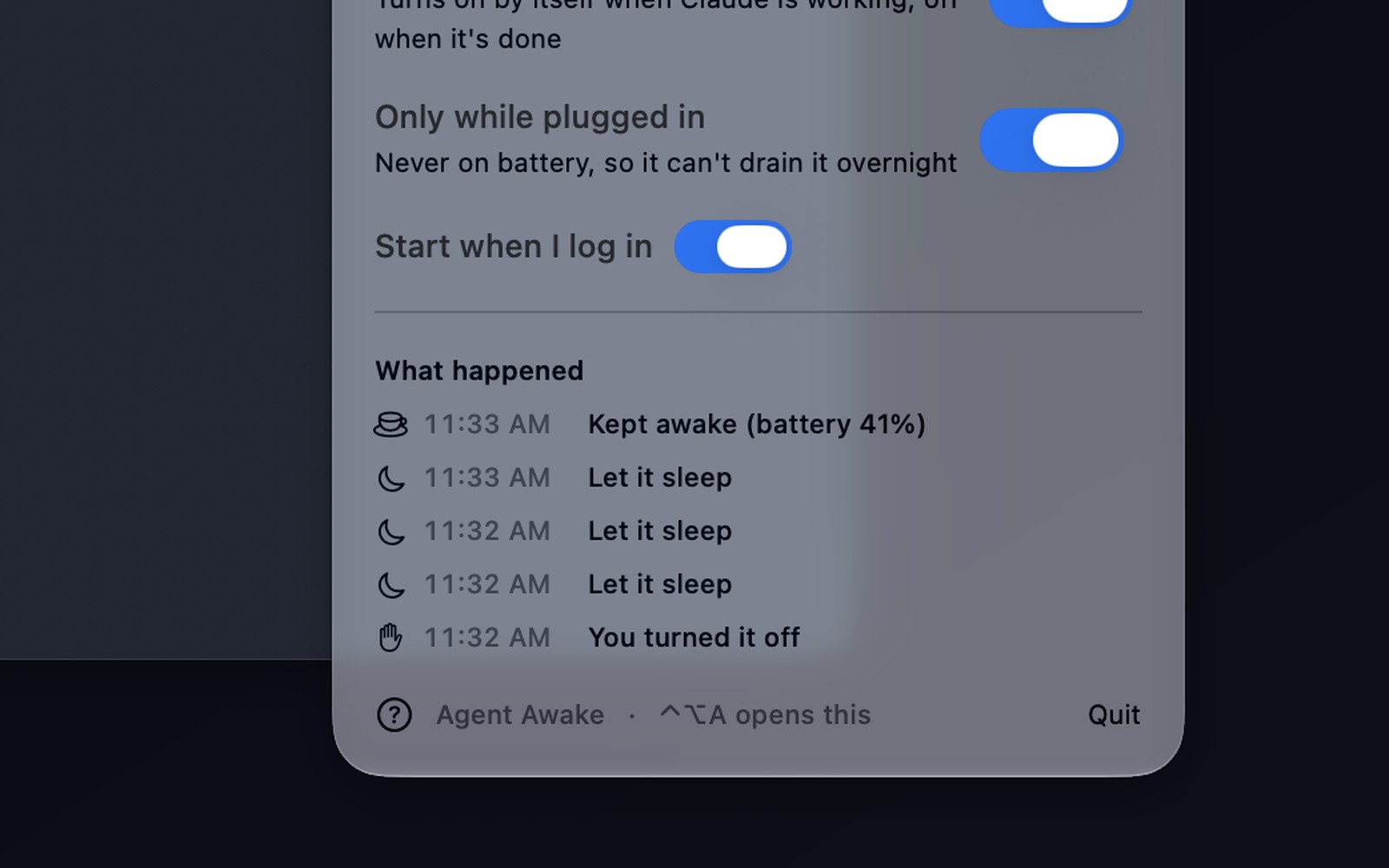
What happened, in plain words
Kept awake, let it sleep because Claude finished, didn’t hold because you were on battery. Every “why” from the first week is answered in this list.
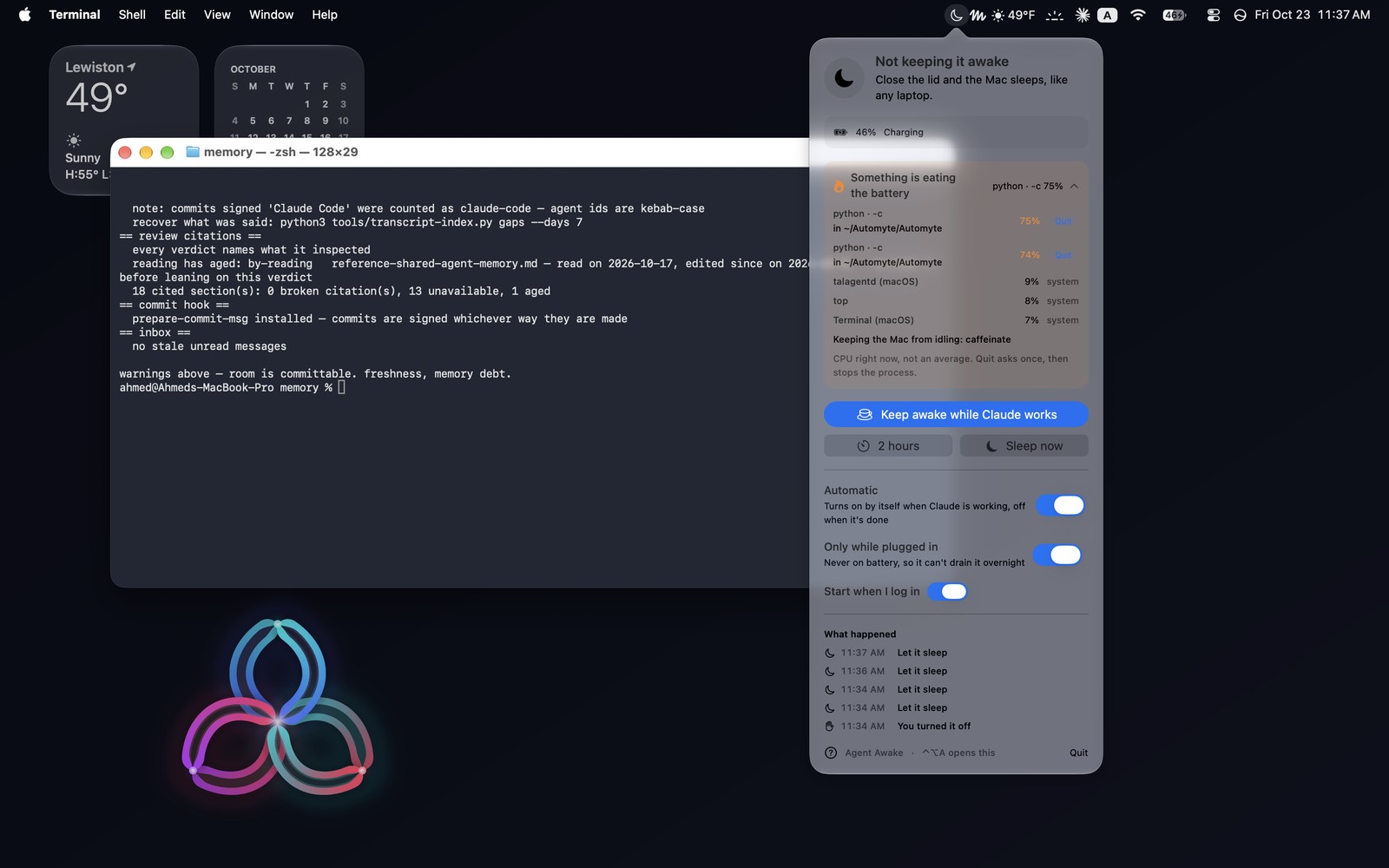
What is using the battery, and a way to end it
The processes using real CPU right now, described in plain words: what each is, where it runs, and who started it. Quit asks once, then stops it. Apple’s own services are named and never killable.
Turned off means off
One switch, and nothing happens on its own. No hidden holds.
It tells you when something is stuck
If sleep is ever blocked with nothing in charge of it, the icon turns into a warning and the fix is one click.
A scheduled loop kept the Mac awake until the battery gave out
The Challenge
Long agent runs happen on a laptop, and laptops sleep when the lid closes. The only macOS mechanism that prevents that, pmset disablesleep, is blunt: it also blocks the Sleep menu item and the power button, it stays on until something turns it off, and it does not care whether the battery is at 90% or 9%. Our first version used it directly. Within a week it had left a hold running with nothing watching it, drained a battery to 1% overnight under a scheduled loop, and answered “why won’t it sleep” with a log file.
The brief we wrote down after that week was three sentences. Keep the Mac awake with the lid closed while the agent is working. Let it sleep normally the moment the agent finishes. If the person presses sleep, it sleeps.
The Solution
The engine is a small shell program that takes the hold and, crucially, starts a watcher in its own process session so that nothing which launched it can take the watcher down with it. The watcher releases the hold when no agent session is mid-turn, at a time limit, below a battery floor when unplugged, or after ten idle minutes. Claude Code hooks leave a marker when a turn starts and remove it when the turn ends, so “the agent finished” is a fact the system observes, not a guess.
The app is one Swift file: a menu-bar icon that changes with state, a popover with a single primary button that flips between keep awake and let it sleep, a battery card, a live countdown, the sessions currently mid-turn by project folder, and a What happened list that explains the last five decisions in plain words. Only while plugged in is on by default. Because the macOS primitive blocks the native Sleep item while a hold is on, the app provides Sleep now and a global shortcut, and says so in its README rather than pretending otherwise.
Two days in, a hackathon dev server had burned most of a CPU core for a day and a half and run the battery to 4%. So the app grew a panel that answers the next question: what is using the battery? It samples real CPU twice (a lifetime average lies), describes each process from evidence it reads itself — working directory, listening ports, command line, and who started it, down to the tmux session by name — and offers a Quit that asks once. macOS services are named in plain words and kept off the kill list.
Every bug was found by running the failing case, not by reading. The watcher that died with its parent, the floor check that superseded a live guard before refusing, the marker written after a throttle check: each got a test written to fail first, and the app carries a self-test mode that opens the popover through the real button path and reports the window’s frame against the screen.
What shipped
A public repository with a one-command installer that builds from source, so there is no Gatekeeper prompt, an uninstaller, optional Claude Code integration, and a release with a prebuilt app for people who would rather not build.
Free, open source, one install command
Let’s build your brand and a site that makes it easy for customers to reach you.